

Overview
The Notion integration allows you to query and index Notion pages and databases. It supports both and .Authentication
The Notion integration can be set up as a personal connection or as a shared connection.Personal connection (OAuth)
Each user connects their own Notion account through an OAuth flow, available in Hyperspell as a personal connection without any additional setup. During the OAuth flow, users select which pages in their Notion workspace they want to give access to.Shared connection
An app admin can instead register a single shared connection using a Notion Access Token. Its data is synced once and made available to everyone in your app — no per-user OAuth required. To create the Access Token:- Go to https://app.notion.com/developers/connections.
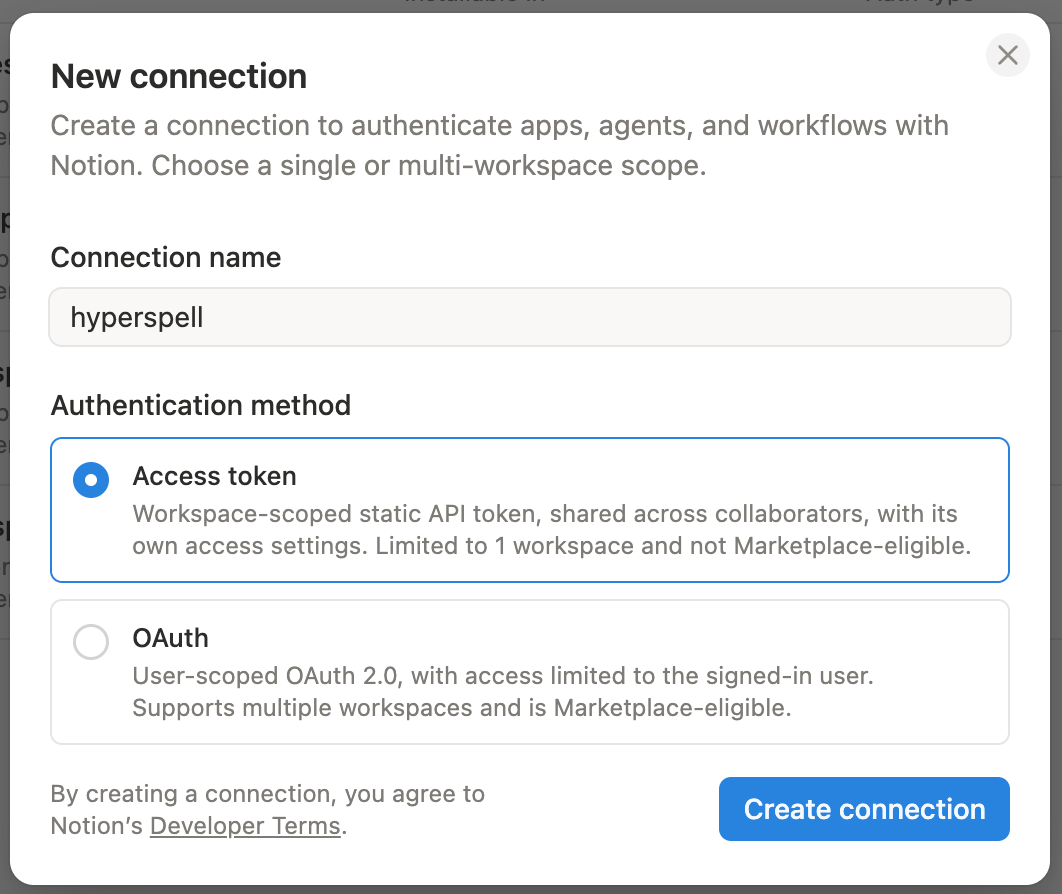
- Click New connection, enter a name, select Access token as the authentication method, then click Create connection:
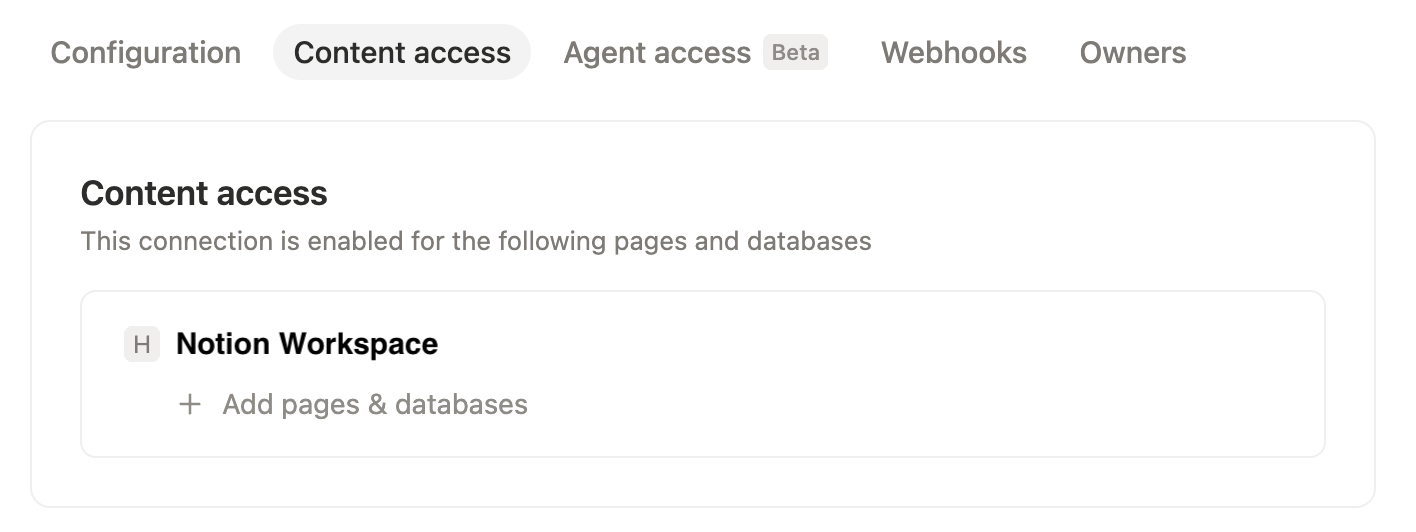
- Open the Content access tab and click Add pages & databases to select which pages the connection can access. We recommend selecting your team workspace — all subpages are added automatically:
- Back in the Configuration tab, copy the Access Token.
string
required
Your Notion Access Token.
Search Options
The Notion integration does not support any custom search options.Resources
The Notion integration returnsDocument resources: