

Overview
The HubSpot integration allows you to search through HubSpot contacts, companies, and deals. It supports both and .Authentication
The HubSpot integration can be set up as a personal connection or as a shared connection.Personal connection (OAuth)
Each user connects their own HubSpot account through an OAuth flow, available in Hyperspell as a personal connection without any additional setup. During the OAuth flow, users select which HubSpot objects they want to give access to.Shared connection
An app admin can instead register a single shared connection using a HubSpot Service Key. Its data is synced once and made available to everyone in your app — no per-user OAuth required. To create the Service Key:- Navigate to https://app.hubspot.com, select Development in the side bar, and click Keys.
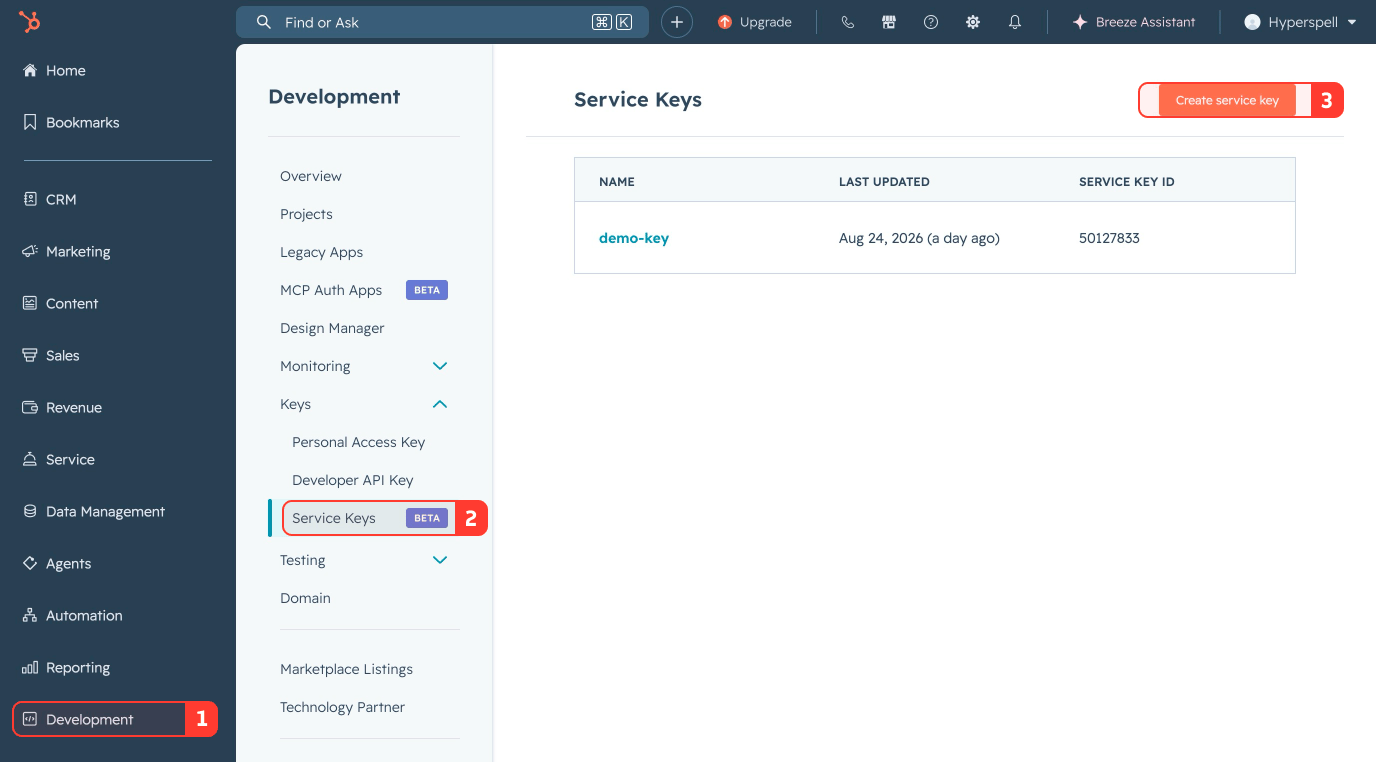
- Click Create Service Key.
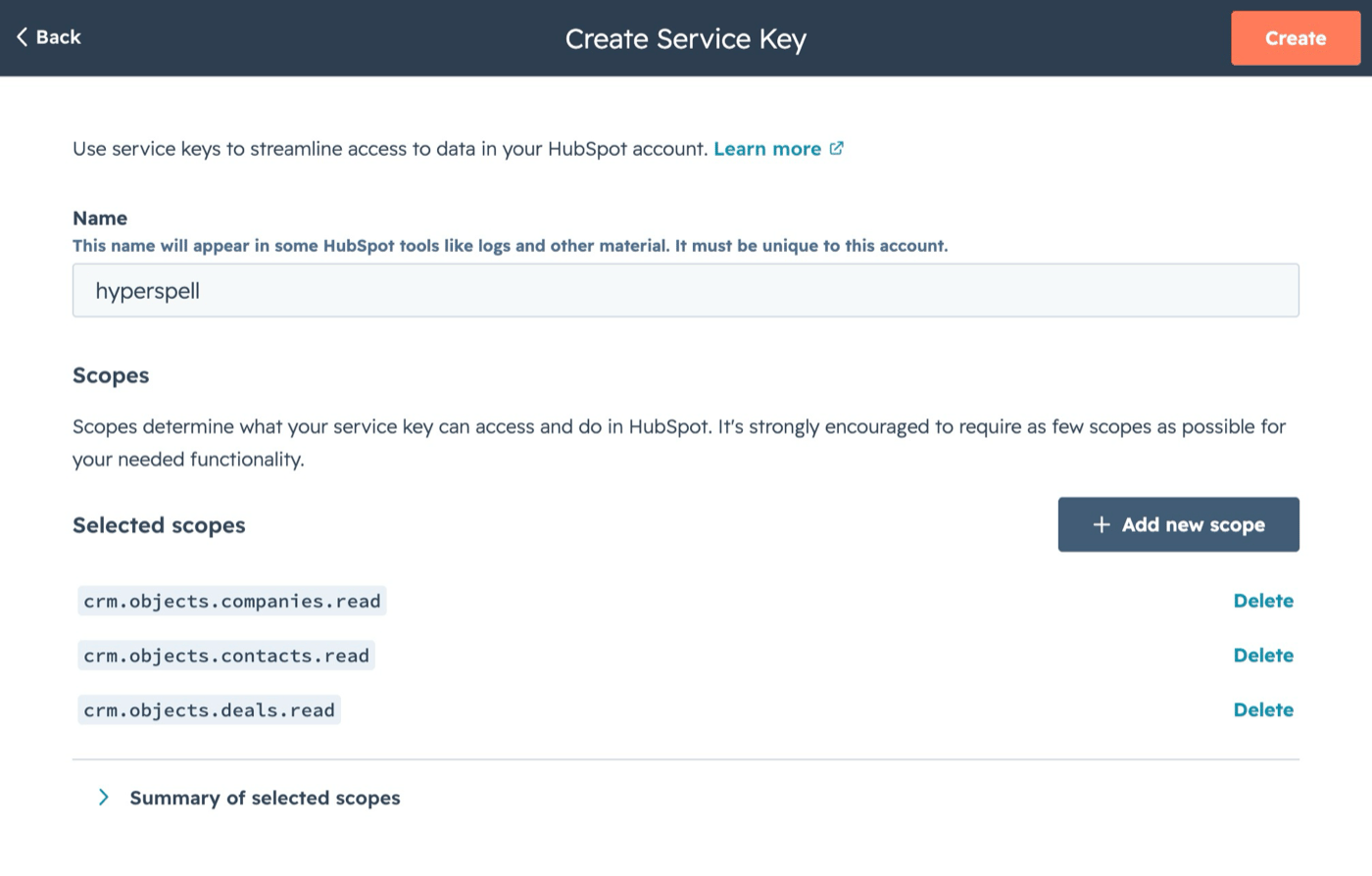
- Add the following scopes:
crm.objects.contacts.readcrm.objects.companies.readcrm.objects.deals.read
- Click Create.
string
required
Your HubSpot Service Key.